Free interactive · Manitoba Grade 6 Science · Earth, Moon and Sun
Moon Observatory: predict, reveal and explain the phases
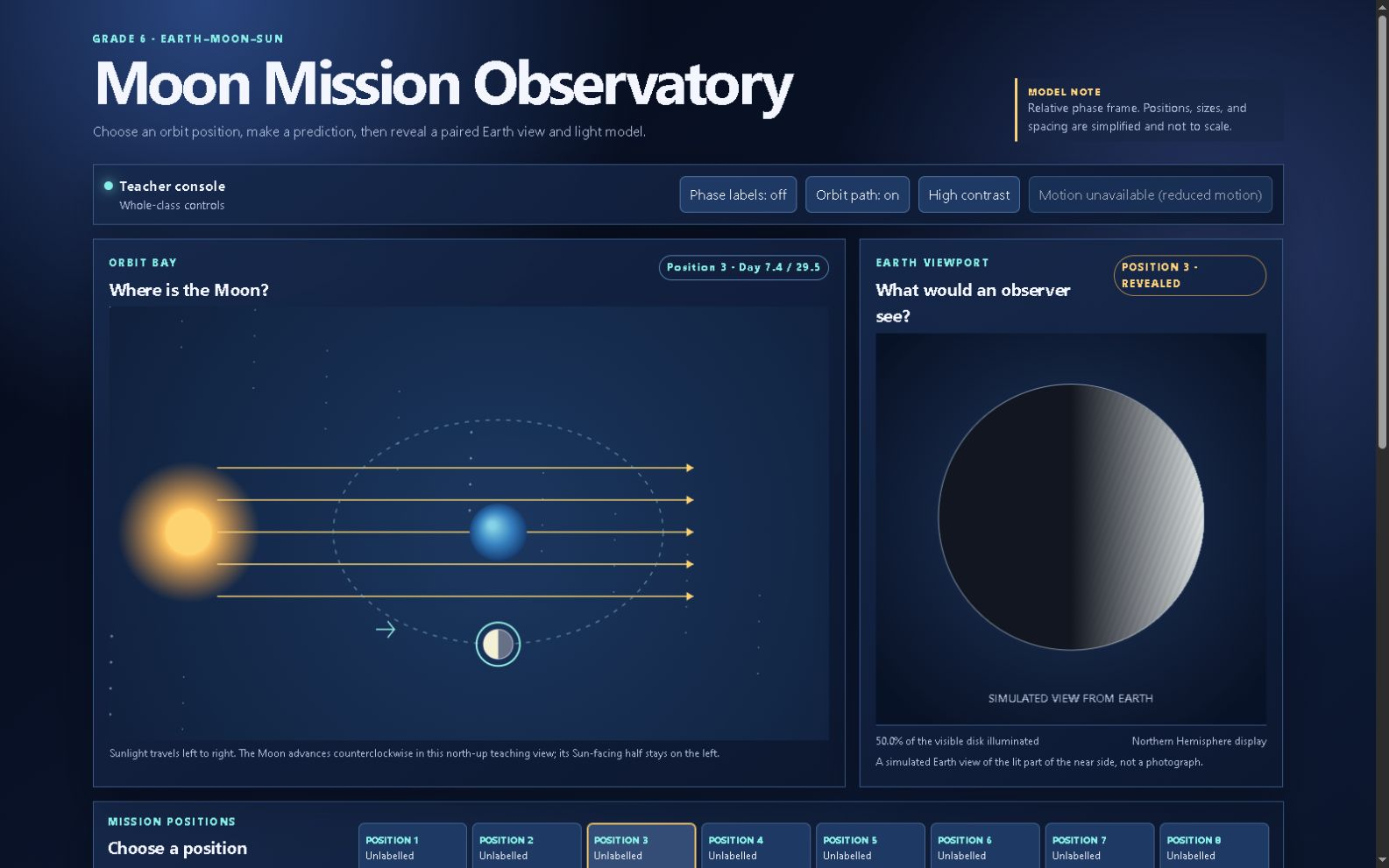
Choose an unlabelled position, predict what the Moon will look like, then reveal the paired Orbit Bay and Earth-view model. The model shows the visible disk illuminated, the half facing the fixed Sun, and why ordinary phases are not eclipses.
Free · No login · No email · No answers saved or sent
Milestone Teachers - created by an Ontario Certified Teacher · Last reviewed
Open Moon Observatory (free, full screen) · Manitoba's renewed Grade 6 Science: the teacher's guide
What it is
- Predict before the label. Choose one of eight positions while the phase name and observation stay hidden, then keep your prediction on this screen.
- Compare two views. Reveal the Orbit Bay position beside the Earth-view model and compare the visible disk illumination with the half facing the fixed Sun.
- Separate phases from eclipses. Use scaffold, core or extension language to explain changing views of the Sun-illuminated half; a lunar eclipse needs special alignment and Earth's shadow.
- Free. No login, no email, no sign-up.
- Runs in the browser.
- The lab does not save or send predictions, answers, or other student work.
How to use it in class
- Choose a position. Start with an unlabelled position and ask students to predict the phase and which side appears lit in the Northern Hemisphere view.
- Reveal and compare. Reveal the observation, then compare the paired orbit and Earth-view model.
- Explain the cause. Use the model to explain that the Moon's phases are changing views of its Sun-illuminated half.
Curriculum link
A free online companion for selected Earth-Moon-Sun outcomes in Manitoba's renewed Grade 6 Science curriculum.
- SCI.6.E.9: Month, year and seasons.
Demonstrate the understanding that the meaning of human time systems is tied to the motions of Earth around the Sun and the Moon around Earth.
The eight-position sequence distinguishes the phase cycle from a single orbit diagram. - SCI.6.E.11: Sunlight and Moon phases.
Demonstrate an understanding of the nature of the Sun as a star like billions of others, and as the central source of energy, light, and gravity in the Solar System.
The paired views show sunlight as the causal relationship behind the changing visible disk.
Contains information from the Government of Manitoba, licensed under the OpenMB Information and Data Use License (Manitoba.ca/OpenMB). OpenMB licence.
Manitoba's renewed Grade 6 Science: the teacher's guide
Units for this year
The full Earth, Moon and Sun unit is optional context; Moon Observatory is a free online companion and is not included in that paid ZIP.
- Manitoba Grade 6 Science NEW Curriculum Space Unit | Earth, Moon & Sun. SCI.6.E.8 to E.11: day and night, the length of a day, month and year, Moon phases, the Sun as a star, and the cause of the seasons. 8 lessons: 84 slides, a 65-page student workbook, an 80-page accommodated edition, a 37-page teacher guide with answer key, and an offline copy of Seasons Explorer. See the current price and currency on the product page before purchasing.
Honest limits
- Positions, sizes and distances are not to scale.
- The model uses apparent-disk illumination percentages and omits orbital tilt.
- The 29.5-day phase cycle is a simplified new-to-new frame; one orbit relative to the stars is about 27.3 days.
- Not every new or full position is an eclipse; a lunar eclipse requires special alignment and Earth's shadow.
Credits
- Science: NASA Science, Moon Phases and Eclipses and the Moon.
- Curriculum: Manitoba Education and Early Childhood Learning, renewed Grade 6 Science.
- Made by: An independent teaching resource from Milestone Teachers.
Sources
Checked against the sources below on 3 October 2026.
- NASA Science: Moon Phases
- NASA Science: Eclipses and the Moon
- Manitoba Education and Early Childhood Learning: Science: Grade 6 (English Program)